

Manège à Bijoux – Bijouterie E.Leclerc
Brief
We’ve had a long-standing relationship with the team at Hôtel République, so when they approached us with a new jewelry campaign—one the client specifically wanted produced through AI—they naturally turned to Pixteur. The agency wasn’t sure where to begin with AI-driven production, so we stepped in to guide them through the creative and technical possibilities. We developed a comprehensive artistic and technical deck, complete with test imagery and workflow previews, and ultimately secured the project with a pitch that showcased the full strength of our AI-enhanced CGI expertise.
Credits
CGI & Post / Pixteur Studios
Tools / Blender, iClone, Character Creator, Comfy UI + API nodes, Krea, Fal, Photoshop
Agency / Hotél République
Jewelry Photographer / StudioZe
Client / Le Manège à Bijoux – Bijouterie E.Leclerc
Jewelry Integration
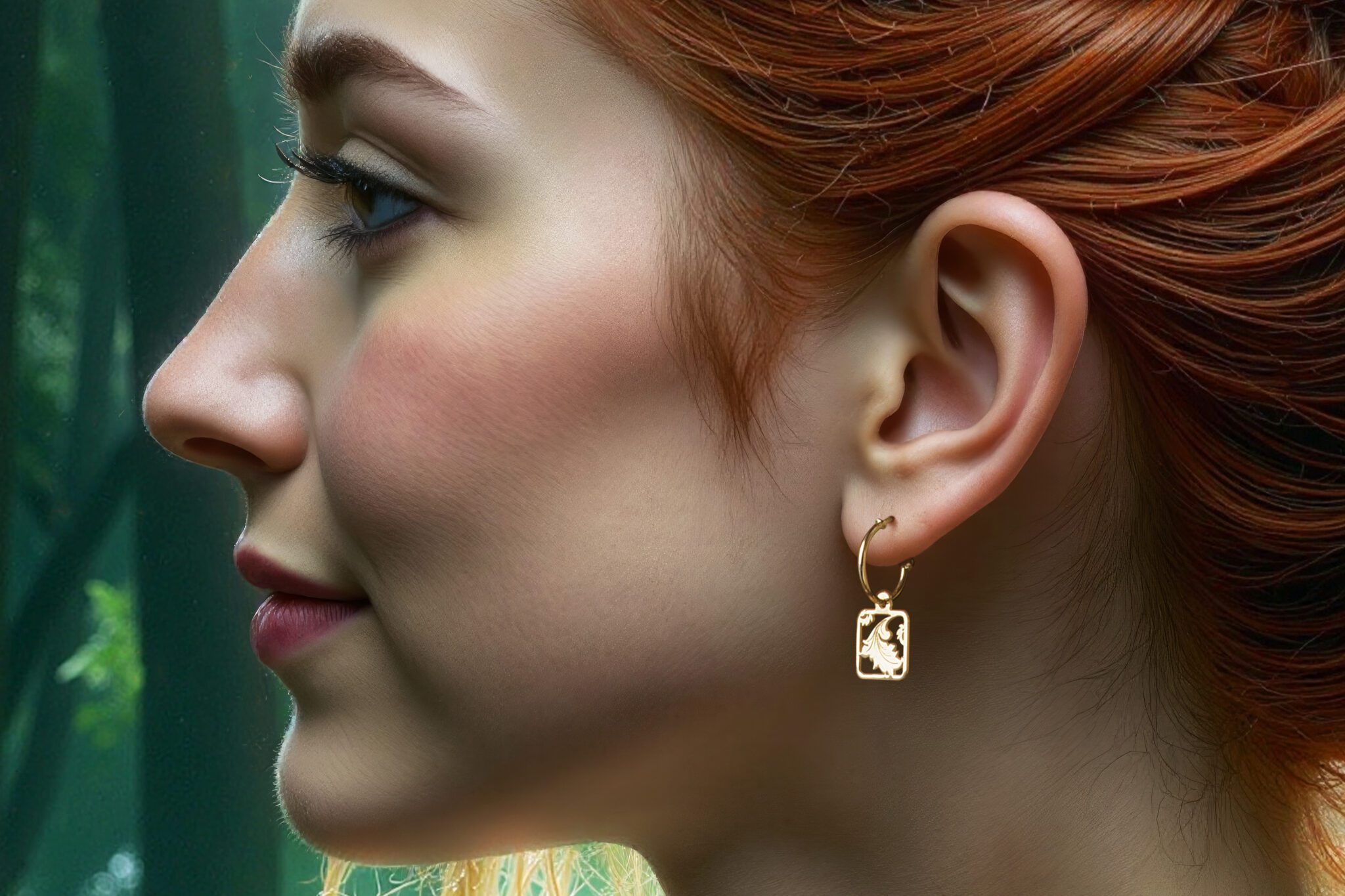
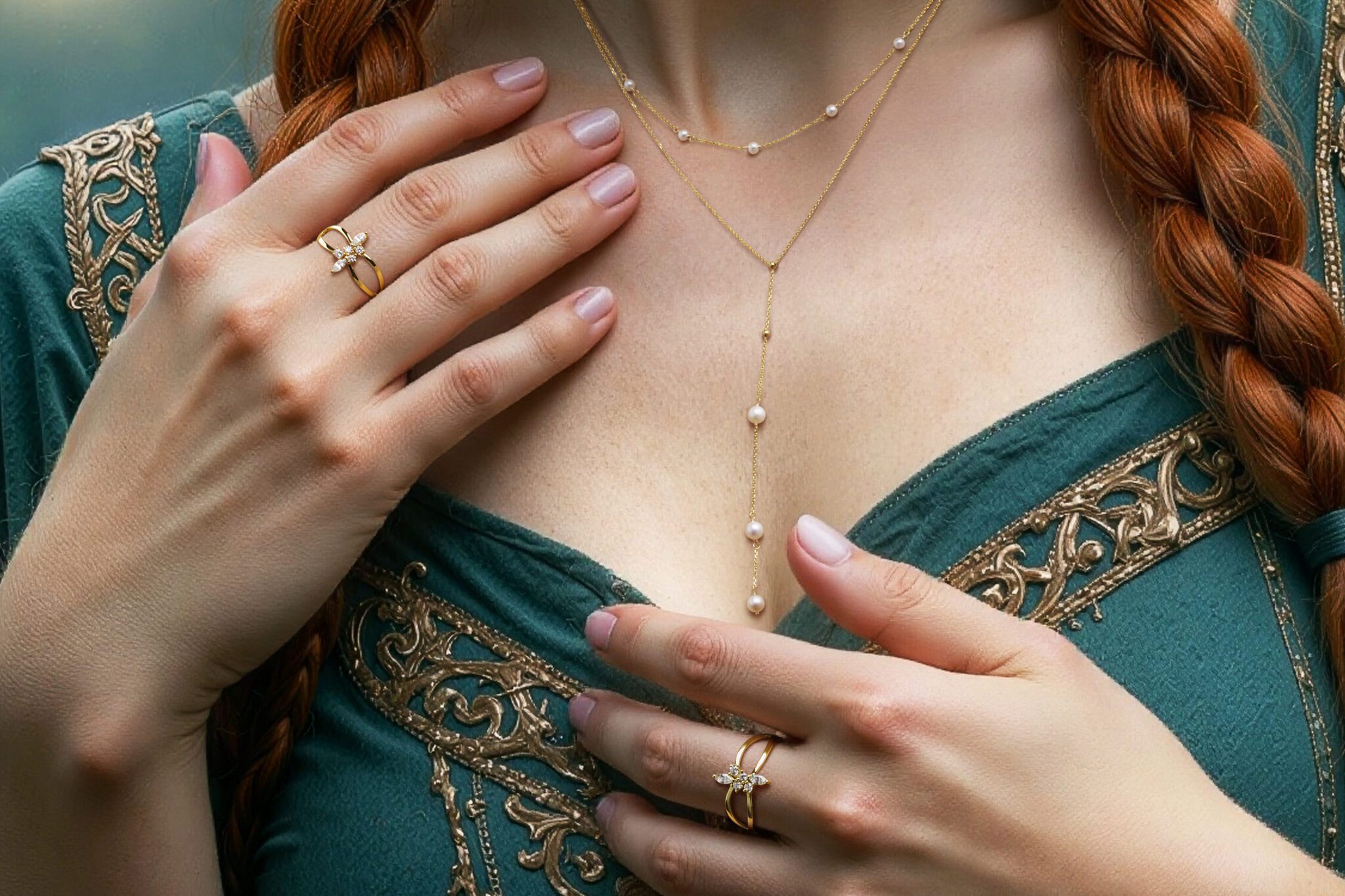
Here are some detail crops of the real world photographed jewelry integrated into the AI images.


Creative Solution
For this campaign, Pixteur anchored the entire production in CGI. Even though the project was AI-driven, we wanted the precision, repeatability, and control that only a solid CGI backbone can provide. This allowed us to guide the AI at every stage of the process rather than letting it dictate the results.
Hands and faces were especially critical for the client, and—as everyone knows—AI can still struggle with both. To solve this, we built our pipeline around a fully posable 3D human model. Because the jewelry itself was being photographed in the studio, our CGI workflow also delivered exact camera and lens data, ensuring seamless alignment between physical and virtual elements.
We essentially used AI as a creatively controlled “renderer” for our CGI scenes. With the client looking for a mystical, Celtic-inspired aesthetic, this hybrid approach let us explore thousands of stylistic variations before locking in the final visual direction. The client also embraced a subtle, intentional “AI look” and was fully open to a completely virtual cast.
To maintain consistency across the campaign, we conducted an AI casting and trained custom LoRAs for each character. This gave us repeatable models and freed us to focus our prompting on styling, mood, and storytelling.
We also experimented with AI motion—more on that soon!
Virtual photoshoot with 3D previsualization
One of the biggest challenges in AI image production is achieving predictable control—especially when it comes to poses, hand articulation, and spatial accuracy. AI alone tends to drift, reinterpret, or distort these elements, which becomes a real issue when a campaign demands consistency across multiple shots.
At Pixteur, we solve this by starting with an articulated, fully posable CGI human model. This gives us absolute control over body positioning, proportions, and hand placement from the very beginning. Every AI render is driven by this underlying 3D rig, so each generated image always matches the approved pose precisely—right down to finger angles. This level of stability is essential when we present previs to clients and later need perfect alignment with the physical jewelry photoshoot.
By combining a disciplined CGI foundation with AI as a creative rendering layer, we maintain both accuracy and flexibility: the structure remains locked, while the style and mood can evolve freely within the approved parameters.
Here’s a look at how our CGI-to-AI workflow operates behind the scenes.


AI workflows
The next step was to export our CGI scenes into specific control maps to use in our ComfyUI workflow.


Here we’re revealing a portion of our custom ComfyUI workflow built specifically for this project. Our system allowed us to iterate through multiple shots within a single file, keeping the entire campaign tightly organized and extremely efficient. Most of the real power operates behind the scenes: we developed a way to selectively modify specific parts of an image—faces, hands, fabrics, lighting cues—while preserving everything else exactly as approved.
In AI production, that kind of targeted, non-destructive control is almost a holy grail. And notably, we were doing this long before Nano Banana or other modern Edit-AI workflows became available. Our pipeline gave us the ability to refine a shot with surgical precision, maintain consistency across the campaign, and evolve creative details without breaking the overall composition.
This is one of the many tools that allowed us to push AI production beyond simple prompt-and-pray imagery and into the realm of true, controllable visual craftsmanship.

A big part of the creative exploration for this campaign was embracing the unexpected—seeing how different prompt variations, weights, and model settings would influence the visuals. To do this efficiently, we built a custom XY Plotting system inside ComfyUI that allowed us to vary up to three parameters simultaneously and generate hundreds of images in a single pass. This gave us a clear visual map of how the AI responded, making it easier to identify the most compelling directions.
Once a promising look emerged, we could pull the full metadata from that specific image—prompts, seeds, weights, model settings—and refine it with precision. This process let us isolate what worked, eliminate what didn’t, and elevate a chosen frame to the next level without losing the original magic.
Over the course of production, we generated roughly 10,000 AI images. From that pool, we spent days polishing the selected hero shots, enhancing details, and rebuilding them at 8192×8192 resolution for print. The result was a set of images that carried the spontaneity of AI exploration but were crafted with the discipline and finish of high-end CGI production.
